

SUBTXT · AI Product Designer · 2026
I teamed up with two developers to design and ship SUBTXT — a product that explains concepts in video conversations that casual audiences miss.
expressed through a system blueprint and exploratory interface designs.
ACHIEVEMENTS
Role
Strategy, Design, Branding
Team
Me, Developer, Developer
Me, Founders (CTO/PM)
Year
2026

No viewer left behind.
ACHIEVEMENTS
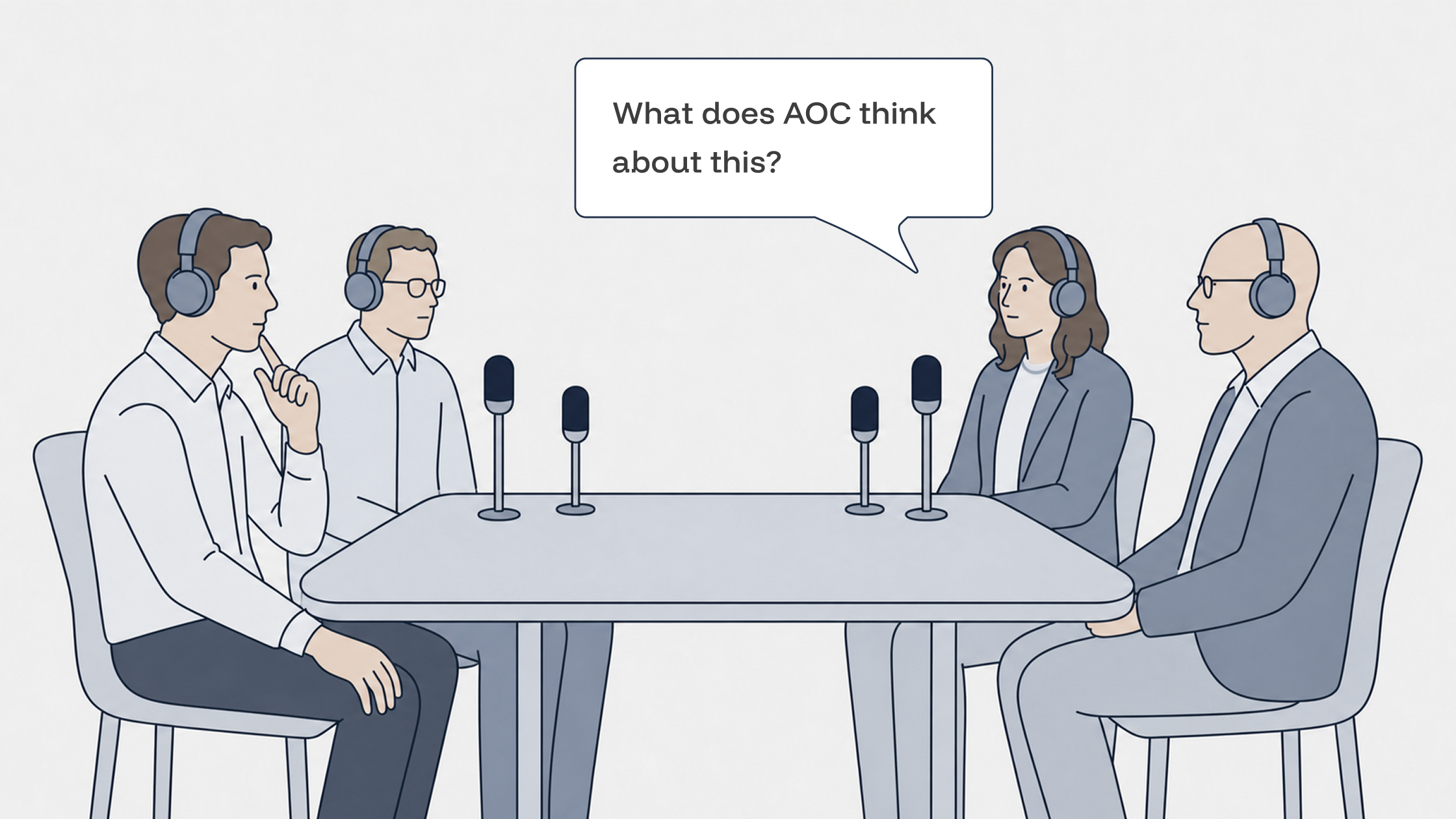

What was said
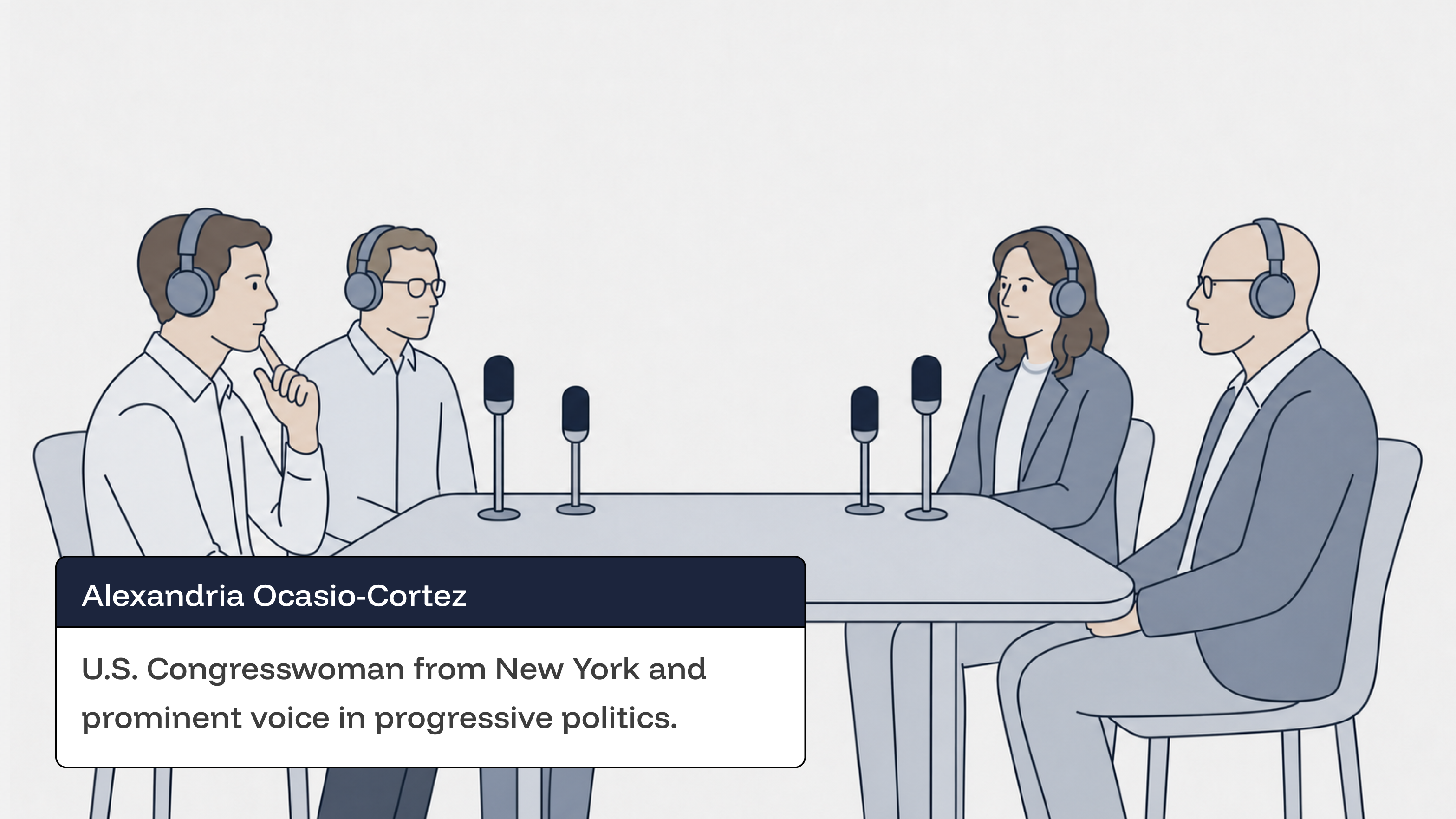
What SUBTXT captions
HUMAN–AI INTERACTIONDEVELOPMENT
Designing the creator experience
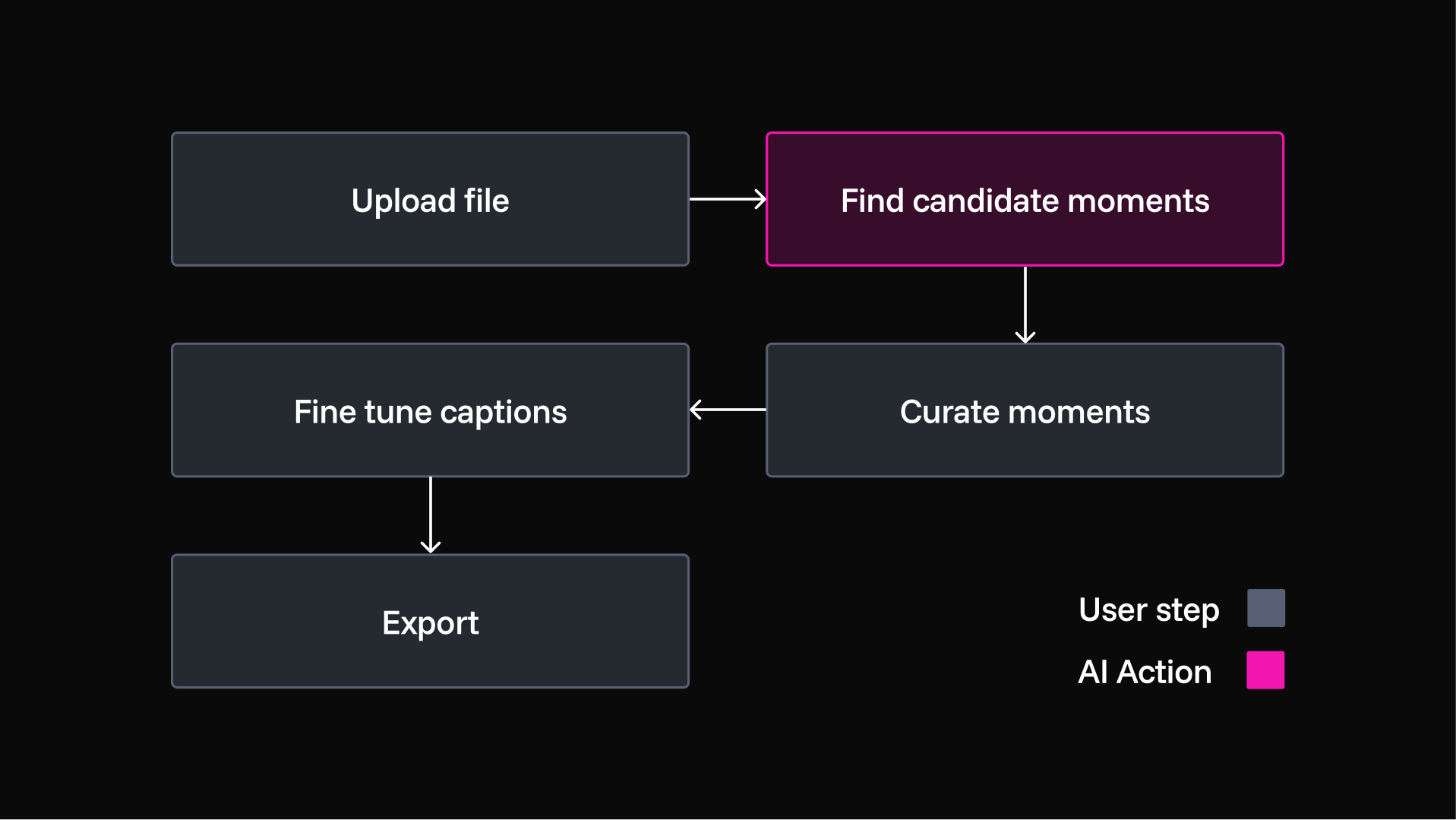
LLMs and video-generation tools made finding references and writing captions relatively straightforward. The harder challenge was the creator experience around that automation. I defined the division of labour, what SUBTXT proposes and what the creator decides, then turned it into a step-by-step workflow.

🤝
AI leads, creators decide
🪄
Make it easy for non-editors
💎
Make value visible at every step
The Workflow
Instead of exposing every decision in a Premiere Pro-style canvas, I separated them into focused steps that non-editors could work through progressively.
Division of labour
Rather than a one-shot handoff, I introduced review points into the automated process: AI recommends and generates; creators approve, adjust or override.
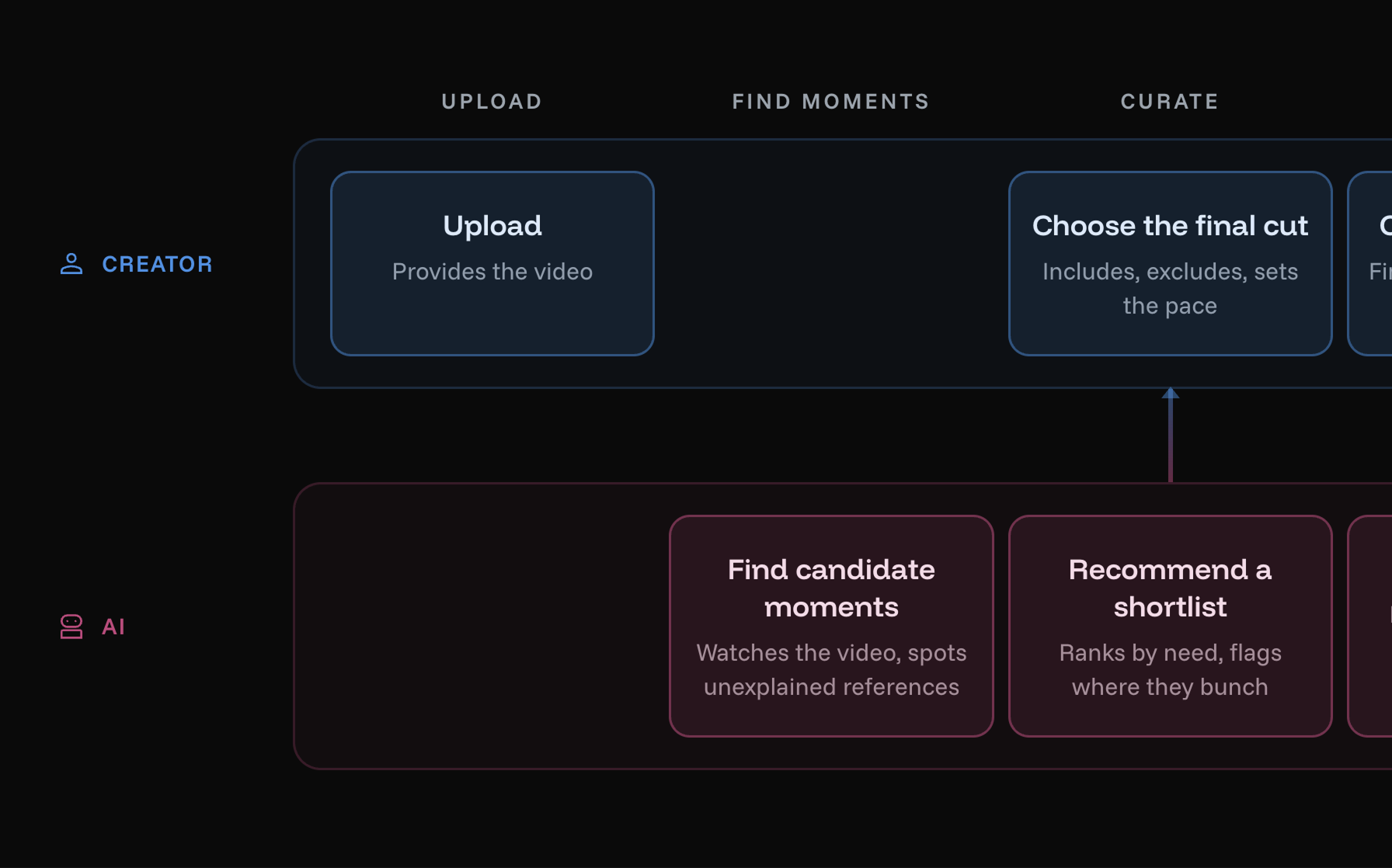
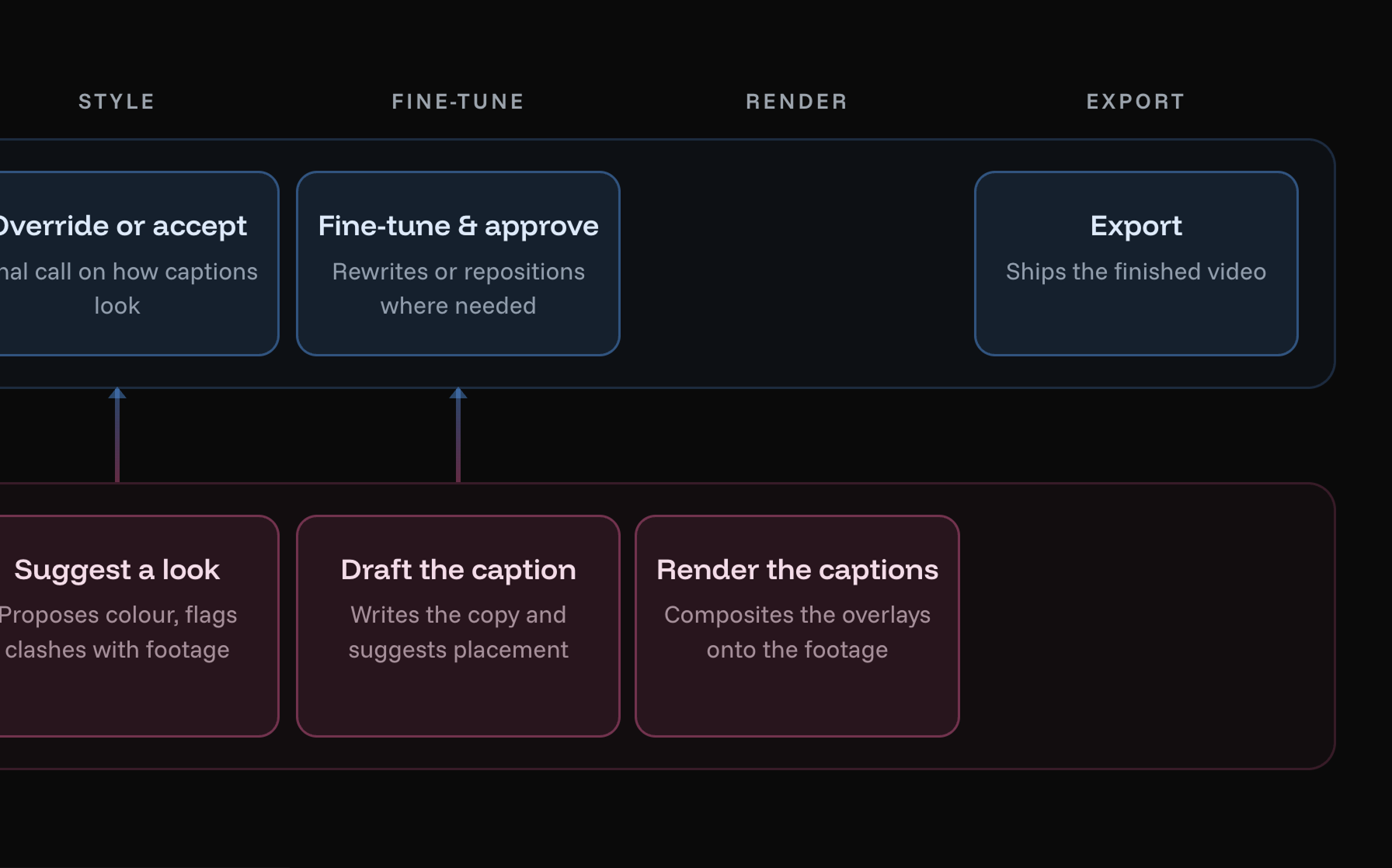
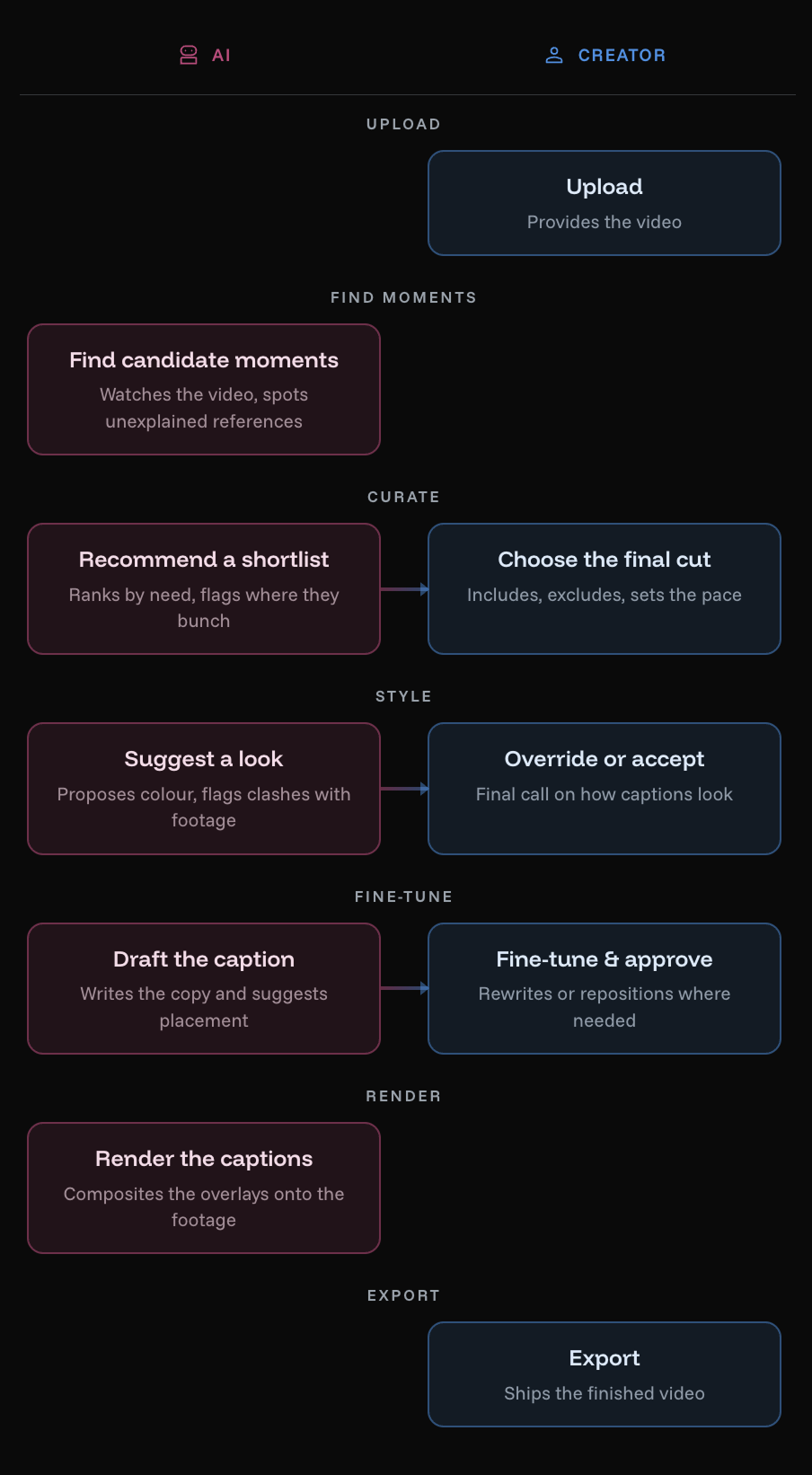
The workflow gives creators clear points to review and shape the AI’s work, without the complexity of a traditional editing canvas.
PROTOTYING IN CODEDEVELOPMENT
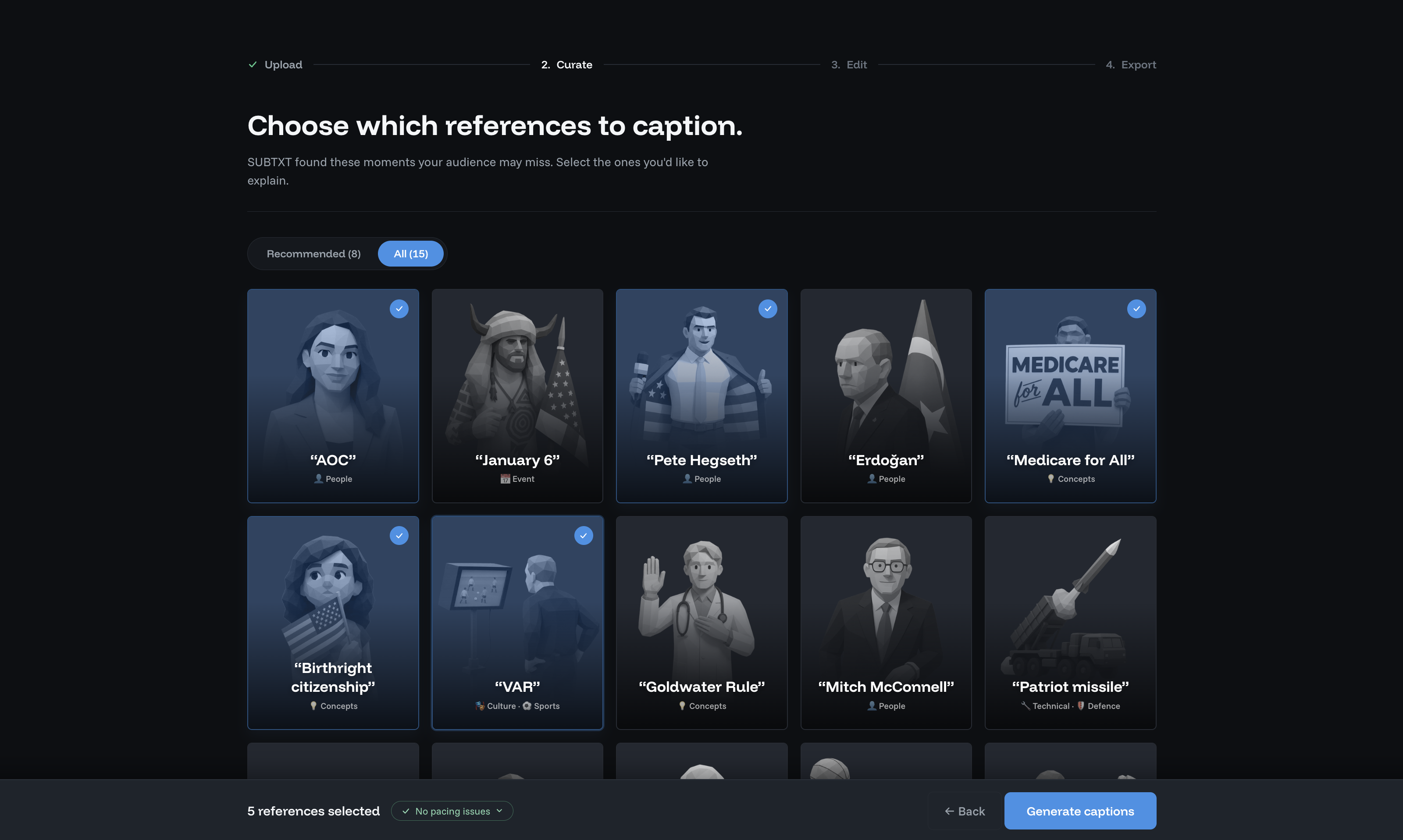
Designing the "Curate" step
The Curate step looked straightforward on paper, but in practice AI recommendations, creator decisions, and caption timing affected one another in unexpected ways. Rapid prototypes with Claude made these interactions visible early.
See how the curate step evolved →

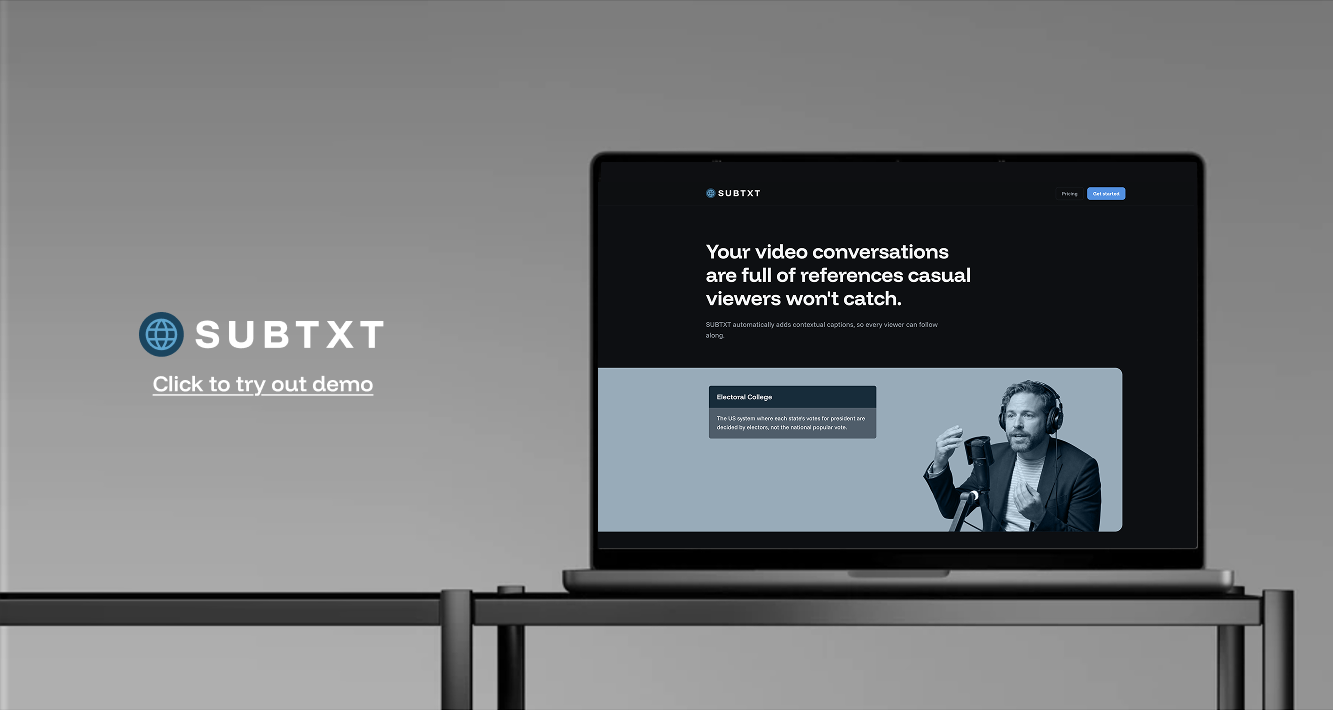
The demo landing page communicated the concept through a working example.

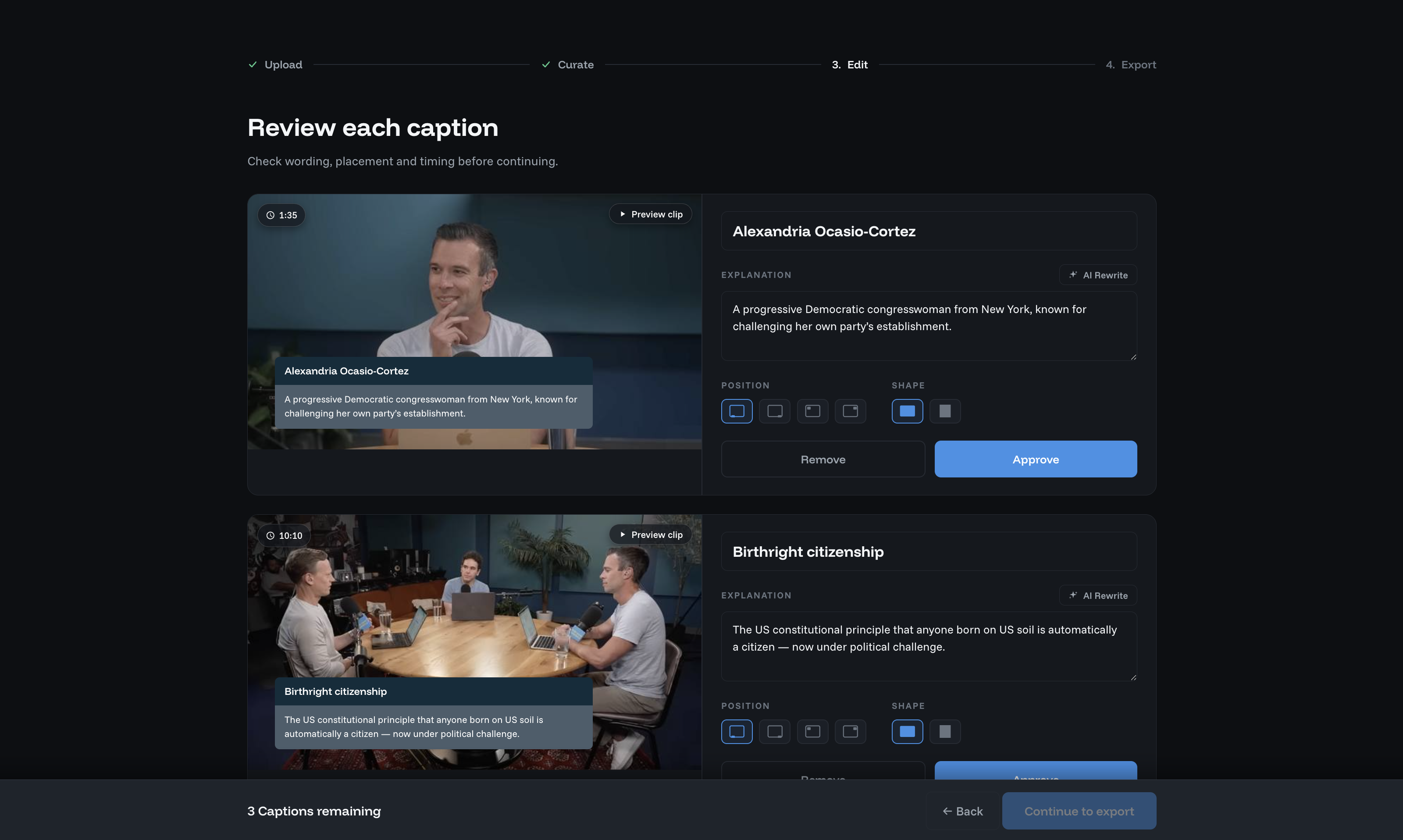
Caption settings gave creators control over the AI's output.
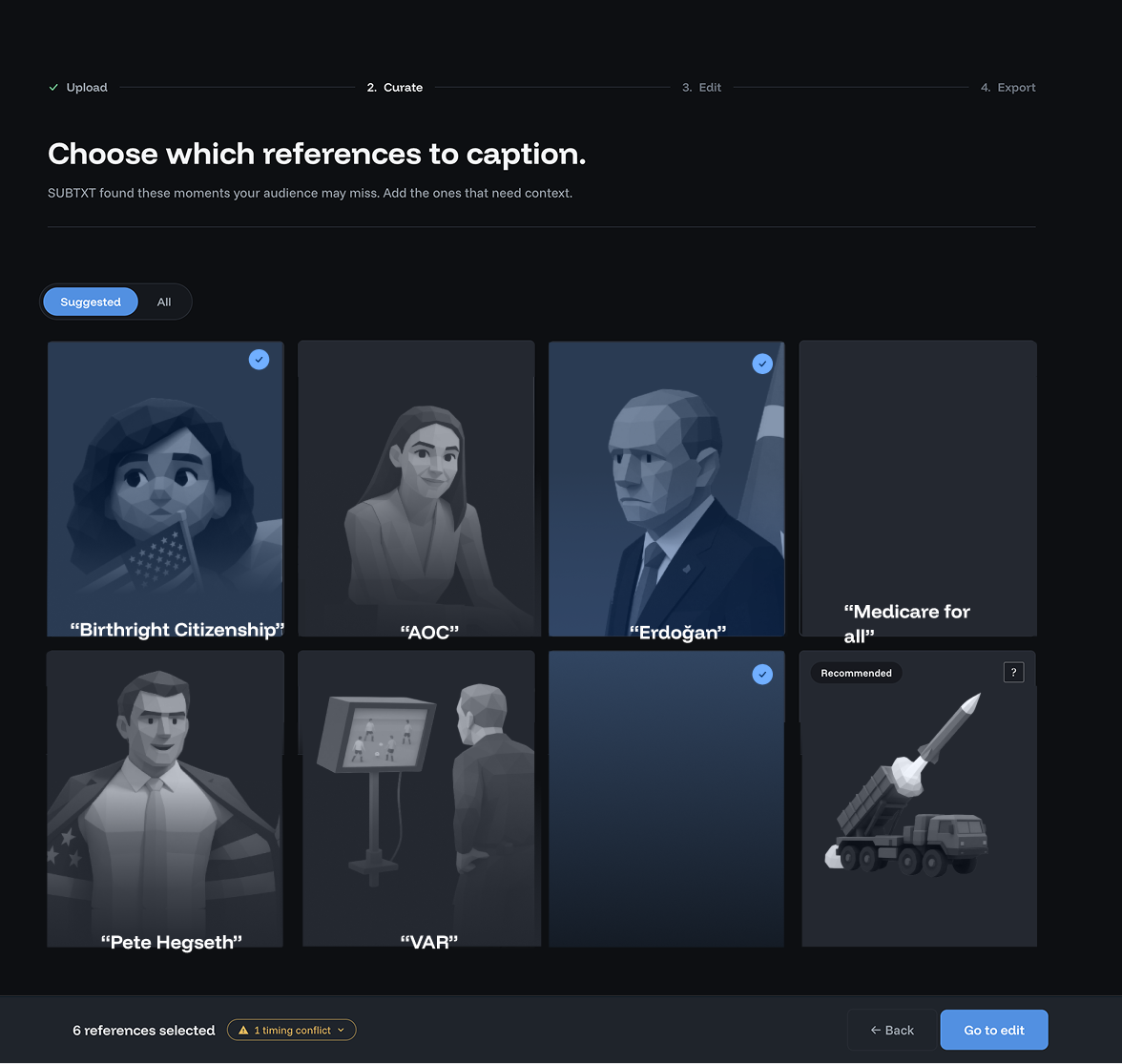
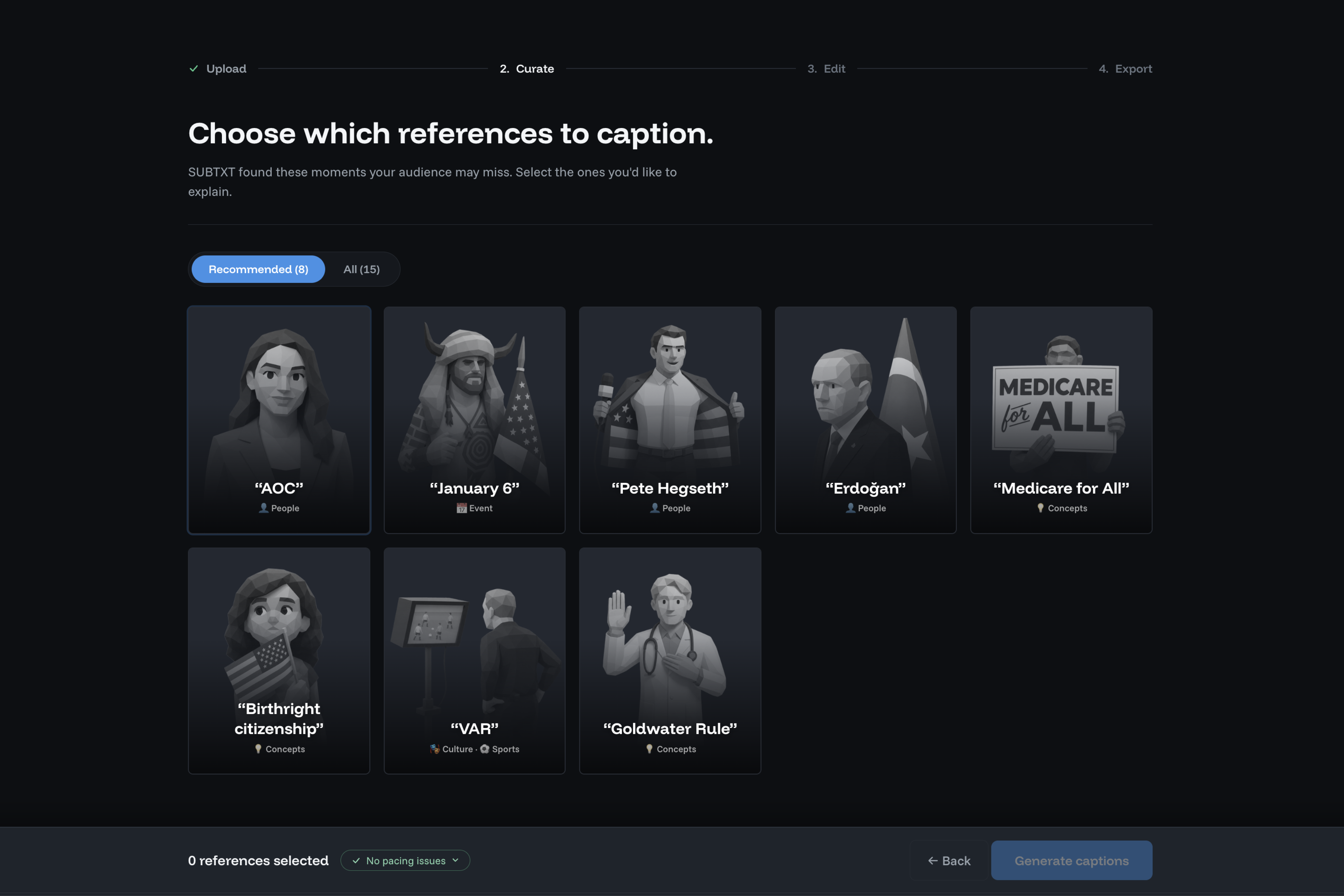
Users can browse and interrogate moments
System recommends captions to includeents
Moments that clash are flagged

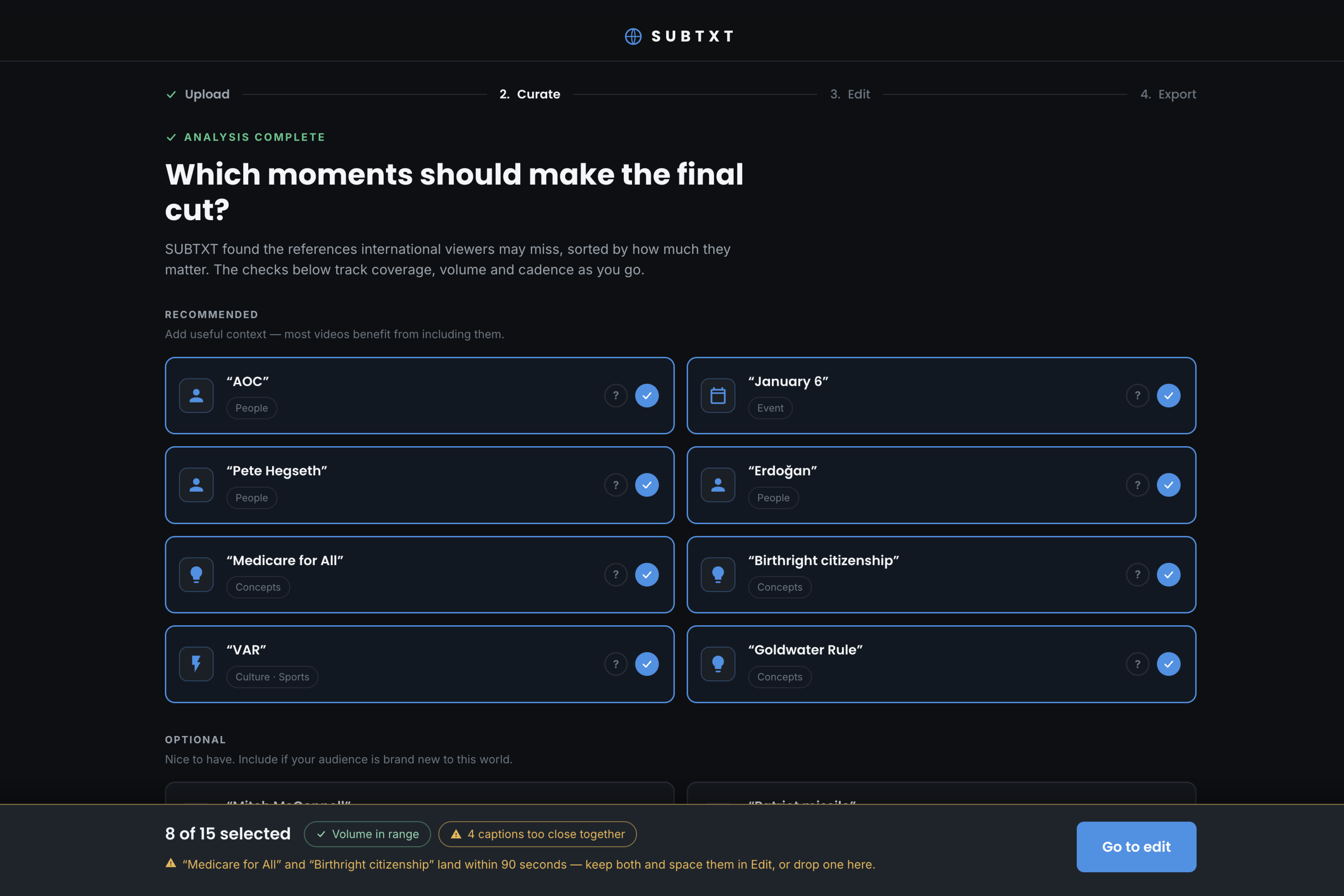
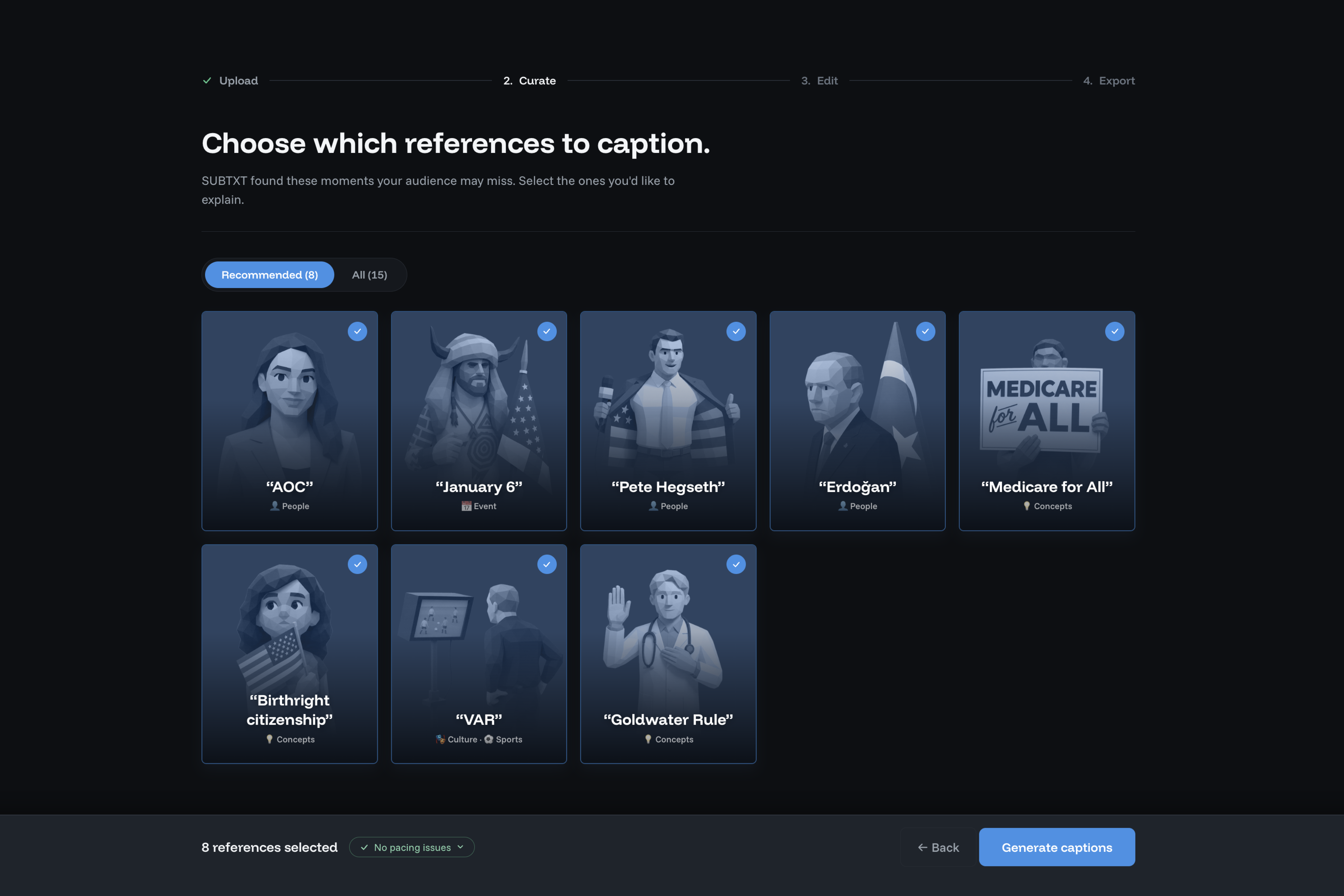
Requirements brief for Claude
Early prototype
Early prototype
Key Design Decisions
This walkthrough above focuses on what users experience. The notes below explain the reasoning behind the most important design decisions. (Coming soon!)

🔒
🔒 Coming soon

🔒 Coming soon
🔒

🔒 Coming soon
🔒

🔒 Coming soon
🔒

Key Screens
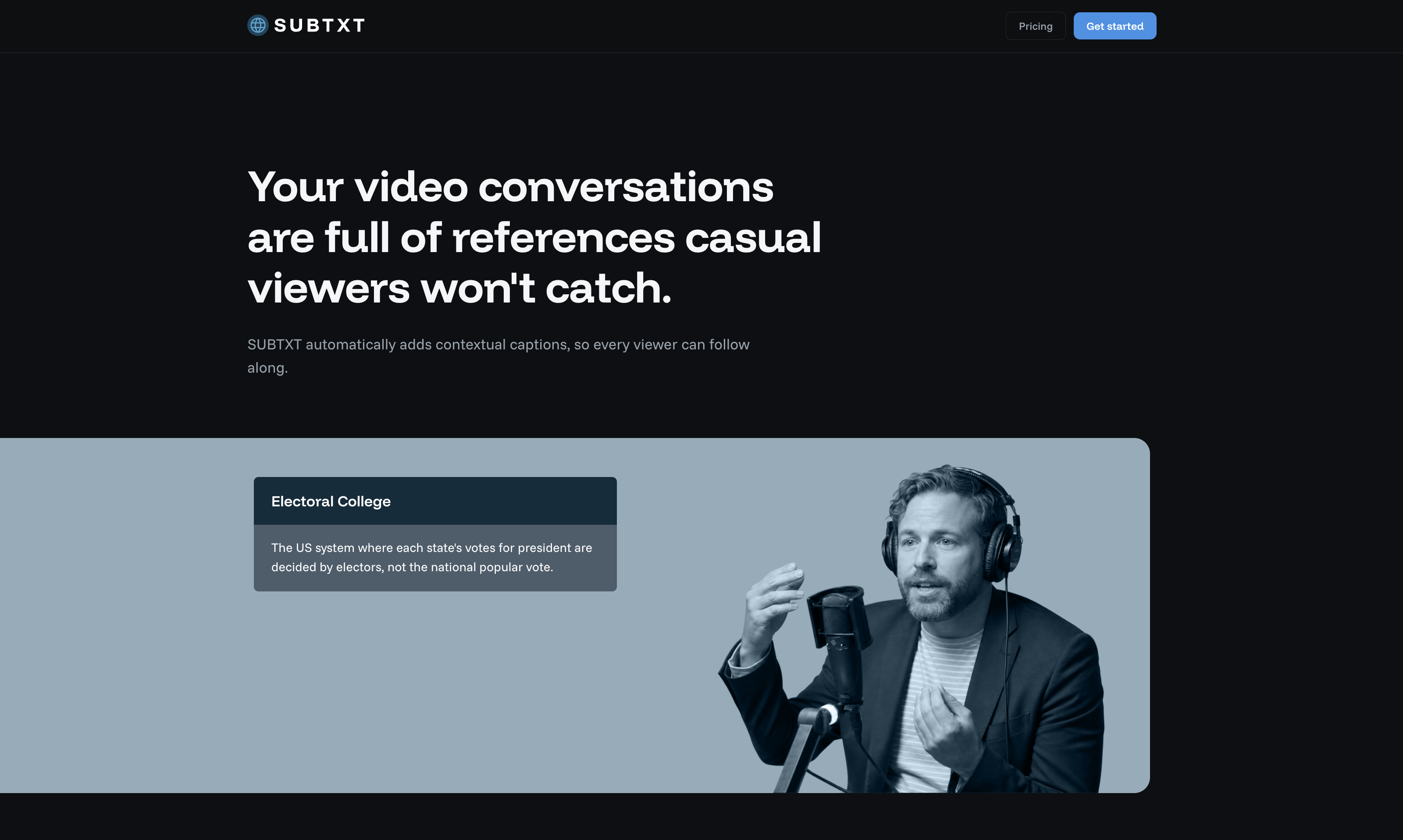
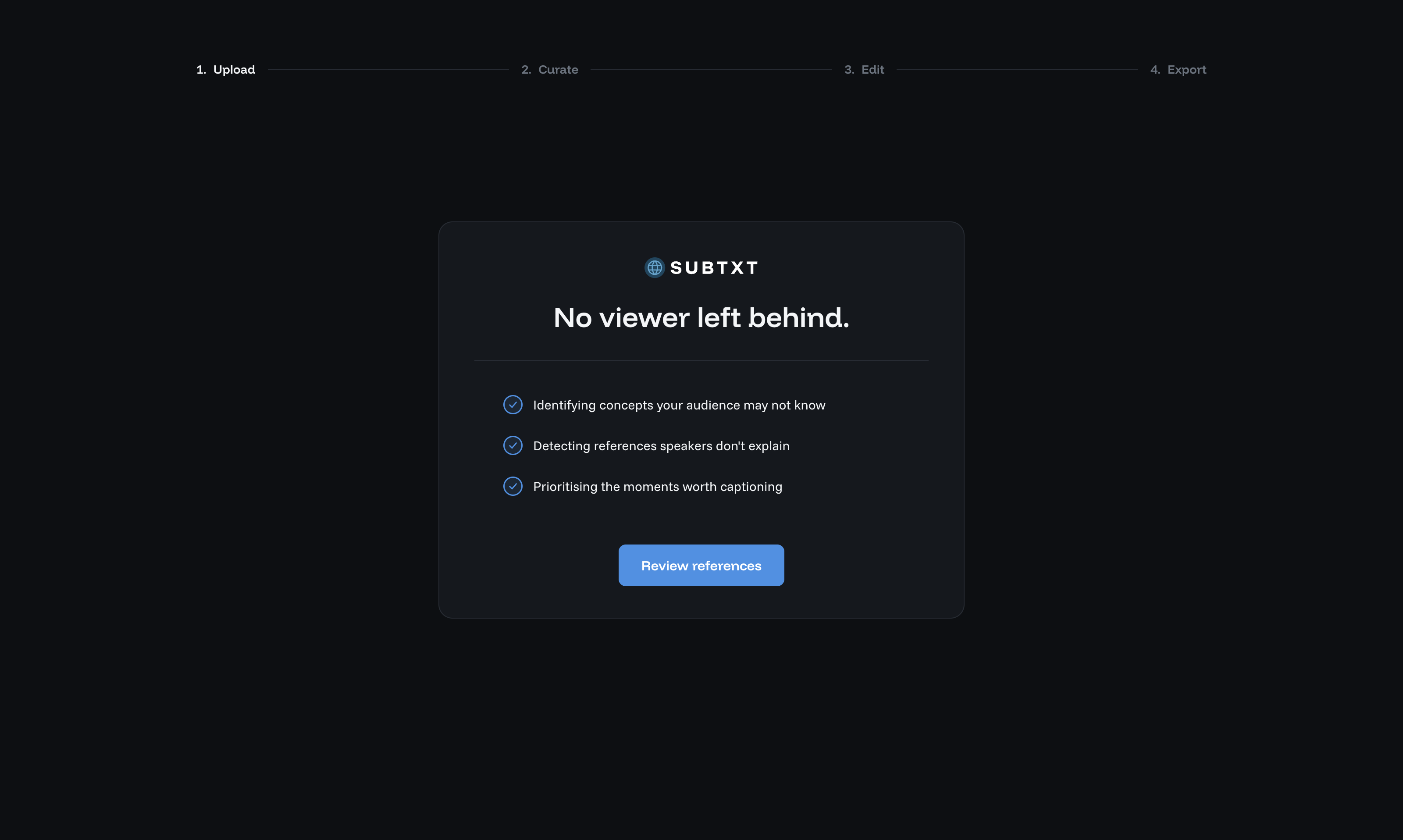
The demo landing page communicated the concept through a working example.
Caption settings gave creators control over the AI's output.
The Redesigned Experience
The prototype proved the concept, but it still reflected a demo rather than a product. I continued developing the concept independently, prioritising user control and clarity.

LANDING PAGE

Designing the AI's behaviour
The product relied on a multi-step pipeline: Gemini identified unfamiliar references before generating contextual captions, which Hera rendered directly into the video. I designed the editorial, writing and presentation rules that guided each stage of that process.
Video in



Flag moments worth explaining
Generate multiple caption briefs

Render captions, consistently
?
?
Video out
What we shipped in 24 hours
With limited time to design the interface, I focused on the two capabilities that best demonstrated the product's value: explaining unfamiliar concepts and giving creators control over the AI's output.
The demo landing page communicated the concept through a working example.
Caption settings gave creators control over the AI's output.
The demo landing page communicated the concept through a working example.
Caption settings gave creators control over the AI's output.
Evolving the interaction model
After the event, I continued developing the concept independently. While the prototype demonstrated the technology, it lacked the level of control needed for a professional creative workflow. Rather than asking creators to trust a one-shot AI output, I redesigned the experience around a series of editorial decisions.

A collaborative interaction model replaces the one-shot approach from the demo, offering a better experinece with more confidence and the ability to control alll the key asepcts of the product's output.
IIterative designDEVELO
INTERACTION DESIGNDEVELOPMENT
Resolving recommendation conflicts
Prototyping the Curate step in code let me iterate on both the AI behaviour and the creator experience: what SUBTXT proposed, how creators reviewed it, and how those two worked together in practice.
The Curate step is is where SUBTXT's logic and the creator's interface meet. Using Claude I was able to quickly expose and address a tension in what SUBTXT should recommend.
Video coming soon
See how the curate step evolved →
Coming Soon
Coming Soon
Coming Soon
Coming Soon
Coming Soon


THE IDEADEVELOPMENT
A system that captions video automatically
SUBTXT began at a 24-hour hackathon where we were asked to pair a generative video API with a language model. We built a system that automatically captions unexplained references and concepts, so casual viewers can better follow expert conversations.
Investigation included Product audit, behavioural research, competitor review
3 research artifacts available on desktop
Focus Mode's design suggested a narrow framing of the problem - treating distraciton as something external, to be managed by controlling the environment.
To better understand focus and distraction, I turned to behavioural frameworks. In Indistractable, Nir Eyal writes:
While we love to blame external triggers...most of our distractions begin from within
This reinforced my suspicion that we were conceiving the problem too narrowly and provided inspiration for concept testing.
This misalignment wasn't just theoretical, it was reflected in the tools available.
Expert conversations often contain references casual viewers do not understand, which go unexplained by the hosts.
A product that automatically detects these moments and generates short, contextual captions to explain them.