

SUBTXT · Hackathon · 2026
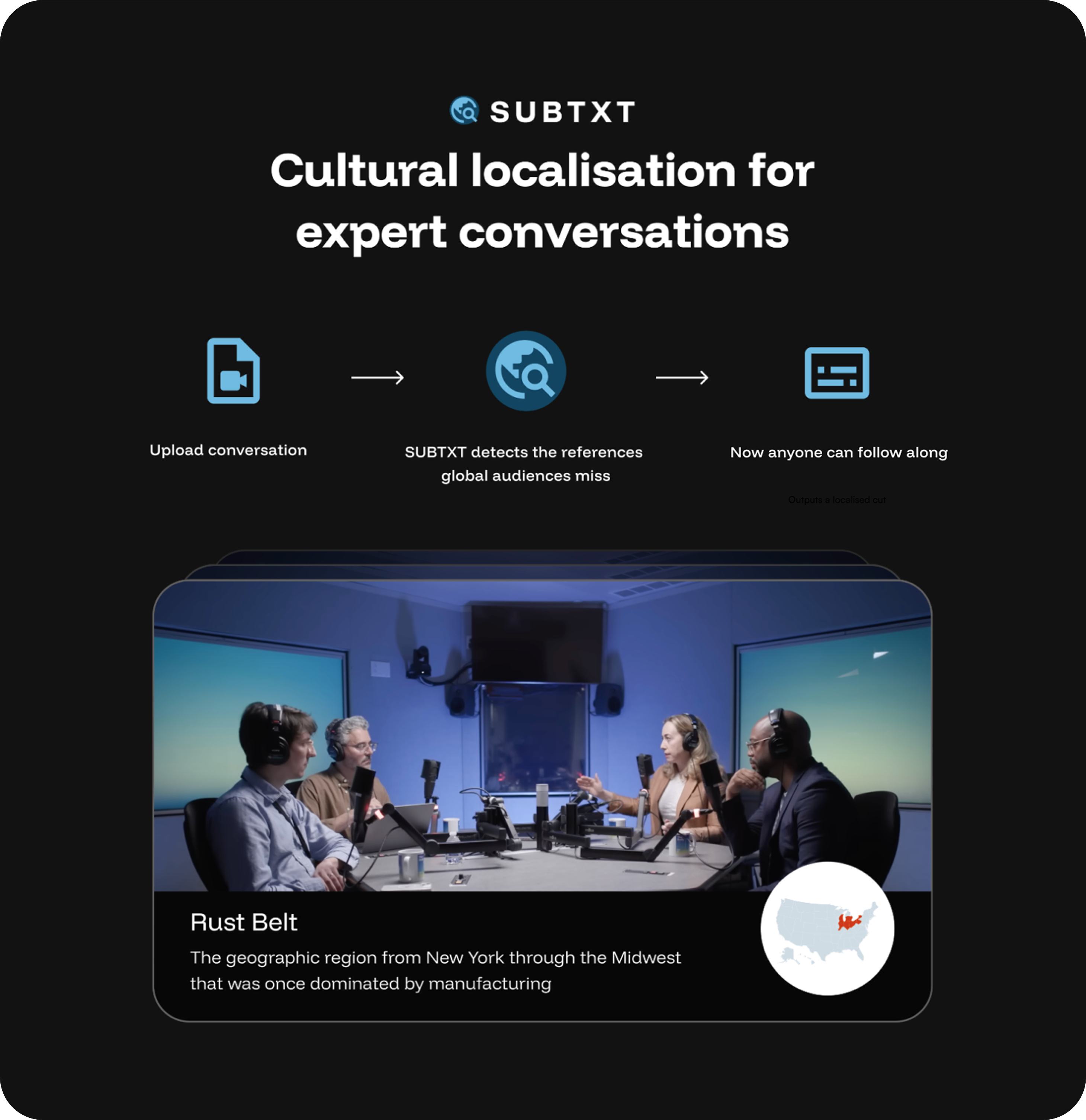
In a 24-hour hackathon, I teamed up with two developers to design and ship SUBTXT — a product that identifies and explains the local references in video conversations that global audiences miss.
expressed through a system blueprint and exploratory interface designs.
ACHIEVEMENTS
Role
Strategy, Design, Branding
Team
Me, Developer, Developer
Me, Founders (CTO/PM)
Year
2026
ACHIEVEMENTS
Combining Hera and Gemini
Experimenting with Hera's API, we learned it was capable of surprisingly precise control over text and motion. Our idea was to pair it with DeepMind's Gemini model, which can analyse video directly, building a pipeline that could automatically caption video for content creators.

3 research artifacts available on desktop
%201.svg)
Focus Mode's design suggested a narrow framing of the problem - treating distraciton as something external, to be managed by controlling the environment.

To better understand focus and distraction, I turned to behavioural frameworks. In Indistractable, Nir Eyal writes:
While we love to blame external triggers...most of our distractions begin from within
This reinforced my suspicion that we were conceiving the problem too narrowly and provided inspiration for concept testing.

This misalignment wasn't just theoretical, it was reflected in the tools available.

Reviewing the Product
Hera’s API made it possible to generate controllable animated overlays with transparent backgrounds.
Contextual overlays are increasingly being adopted by content creators.
The real world opportunity
Looking for a real-world problem to solve with our technology, I pitched the team an idea: help video producers make content more accessible to international audiences by captioning local references they'd otherwise miss. It resonated, and we ran with it.


Slides from our submission deck, explaining the concept to judges.
Giving the agent a point of view
The backend was led by Sami, our developer. I wrote the prompts that decided what the agent noticed and how it looked: one instructing Gemini on what qualifies as a gap worth explaining, and one instructing Hera on how each caption should look and move on screen.

The pipeline combined AI reasoning with generative video — the reasoning steps make editorial decisions, the rest is production.
Designing the creator experience
The interface had three jobs: make an unfamiliar AI workflow feel self-explanatory, give creators basic control over the output, and give the product an identity people would remember. Alongside the interface, I designed the brand, naming and messaging.
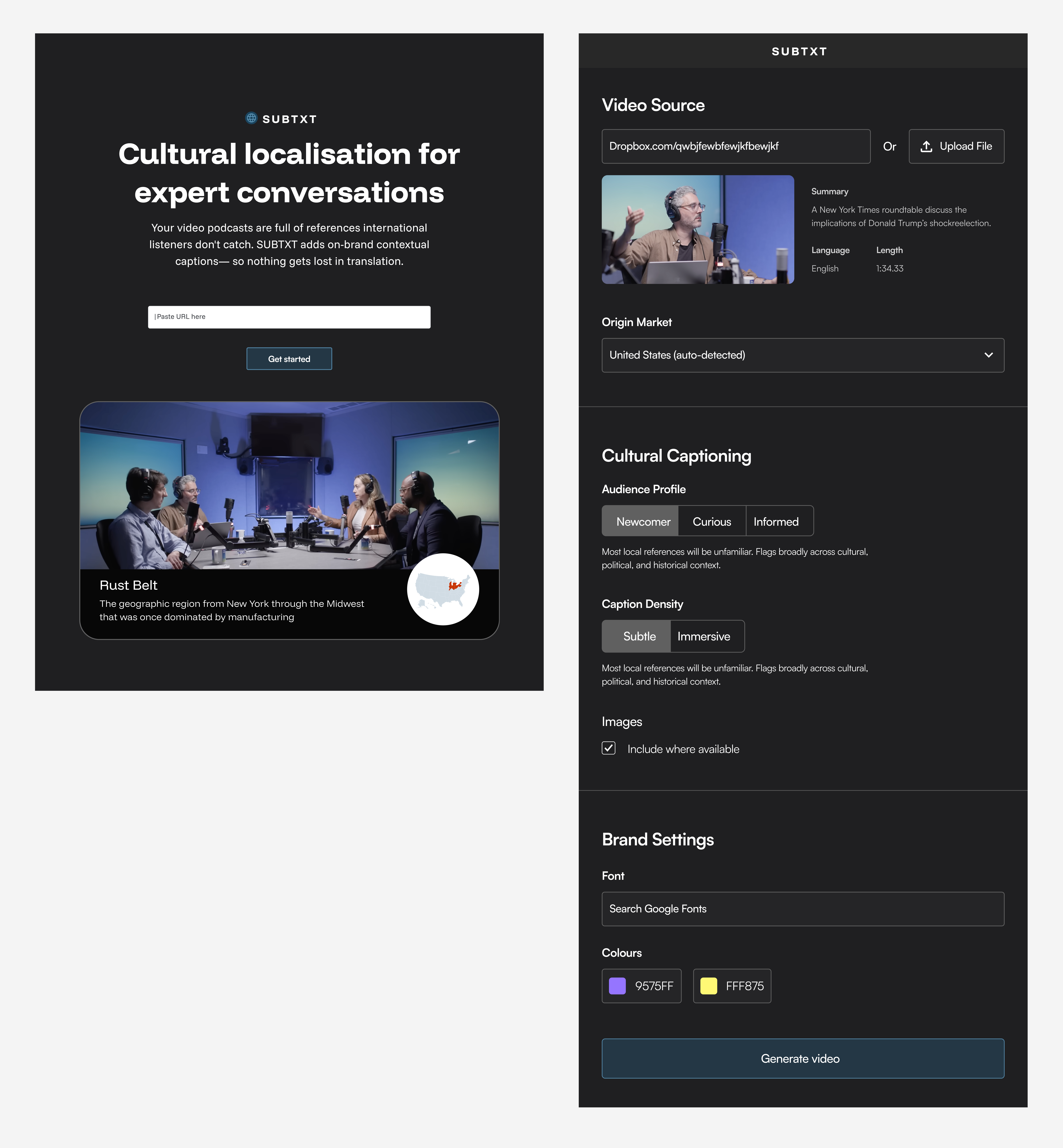
The interface allows users to guide the agent regarding what gets captioned as well as caption density.
PROCESS 2/3
Example output
We handed off the livesite, readme. Example video below.
What worked well / Successes

Signal quality
Even when distraction is present, prompts may feel disruptive or punishing.
Privacy
Monitoring application and window behaviour may feel invasive to some users.

Reviewing the Product
A video generated with SUBTXT using the biggest news story of the day.
Outcome and reflections
We weren't able to get feedback on the submissions, but the idea resonated enough with the team that we've talked about picking it back up where the priorities my side would be:
What worked well / Successes
Signal quality
Even when distraction is present, prompts may feel disruptive or punishing.
Privacy
Monitoring application and window behaviour may feel invasive to some users.

PROCESS 2/3
Handoff
Due to wider company priorities, the team chose to pause product discovery and launch the existing product as an open beta. I handed off a system blueprint, feasibility assessment, and validation roadmap — enabling the team to return to this direction when ready.

Signal quality (low–moderate risk)
Even when distraction is present, prompts may feel disruptive or punishing.
Privacy (moderate risk)
Monitoring application and window focus may feel invasive to some users. Clear opt-in, transparency, and local processing would be essential.

The 6 Focus Concepts
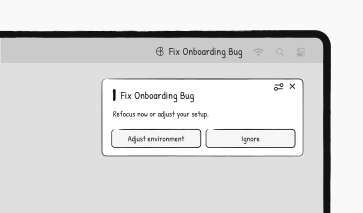
Focus-Drift Prompts
Beams recognises when your attention drifts from your intended task and nudges you back on track.

Accountability

Smart Blocking
Apps and websites that are not helpful to your task are blocked.
Accountability

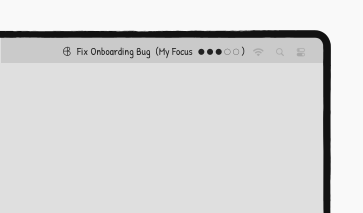
Background Monitor
See how closely your behaviour matches your intended task (always-on).
Accountability
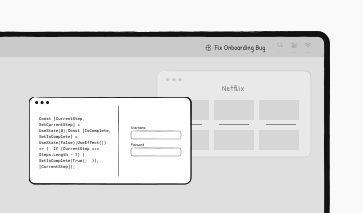
Visual Environment Change
Apps and websites that are not helpful to your task are desaturated or blurred.
Accountability
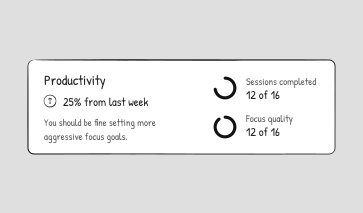
Session Reports
Analytics show how you've spent your focus time and offer goals and tips.
Accountability

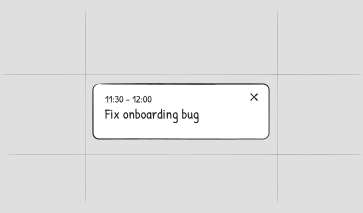
Timeboxed Focus
Plan focus sessions in advance. Smart reorganisation adapts to conflicts.
Accountability

Focus-Drift Prompts
Beams recognises when your attention drifts from your intended task and nudges you back on track.
Accountability
Smart Blocking
Apps and websites that are not helpful to your task are blocked.
Accountability
Background Monitor
See how closely your behaviour matches your intended task (always-on).
Accountability
Visual Environment Change
Apps and websites that are not helpful to your task are desaturated or blurred.
Accountability
Session Reports
Analytics show how you've spent your focus time and offer goals and tips.
Accountability
Timeboxed Focus
Plan focus sessions in advance. Smart reorganisation adapts to conflicts.
Accountability
Focus-Drift Prompts
Beams recognises when your attention drifts from your intended task and nudges you back on track.
Accountability

Accountability
Focus Environments
Self-awareness

Scheduling
Accountability

Focus Environments
Self-awareness
Scheduling
Smart Blocking

Visual Environment Change
Background Monitor
Accountability Prompts
Timeboxed Focus
Session Reports
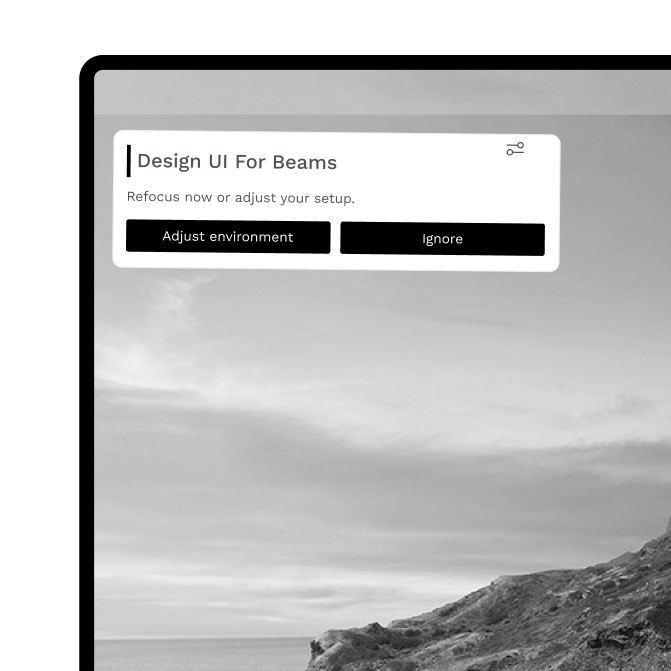
Focus-Drift Prompts
Beams recognises when attention drifts from intended task and nudges you back on track.
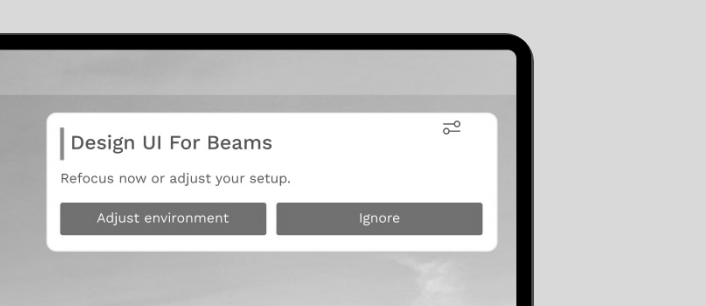
Visual Environment Change
Apps and websites that are not helpful to your task are desaturated or blurred
Session Reports
Analytics show how you've spent your focus time and offer goals and tips.
Smart Blocking
Apps and websites that are not helpful to your task are blocked.
Timeboxed Focus
Plan focus sessions in advance. Smart reorganisation adapts to conflicts.
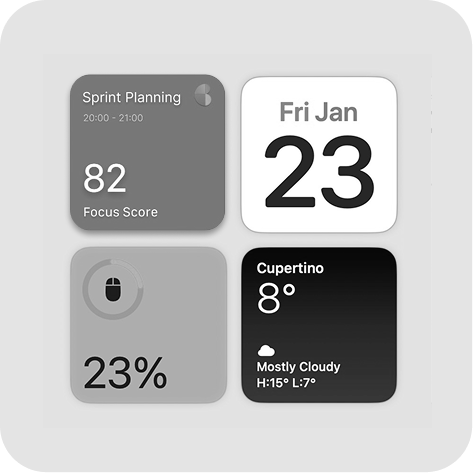
Background Monitor
Widget shows how closely your behaviour matches intended task.
Key learnings

Accountability emerged as the best opportunity for differentiation.
Focus Environments were seen as powerful but restrictive.
Self-awareness generated limited engagement.
Scheduling was a baseline expectation.
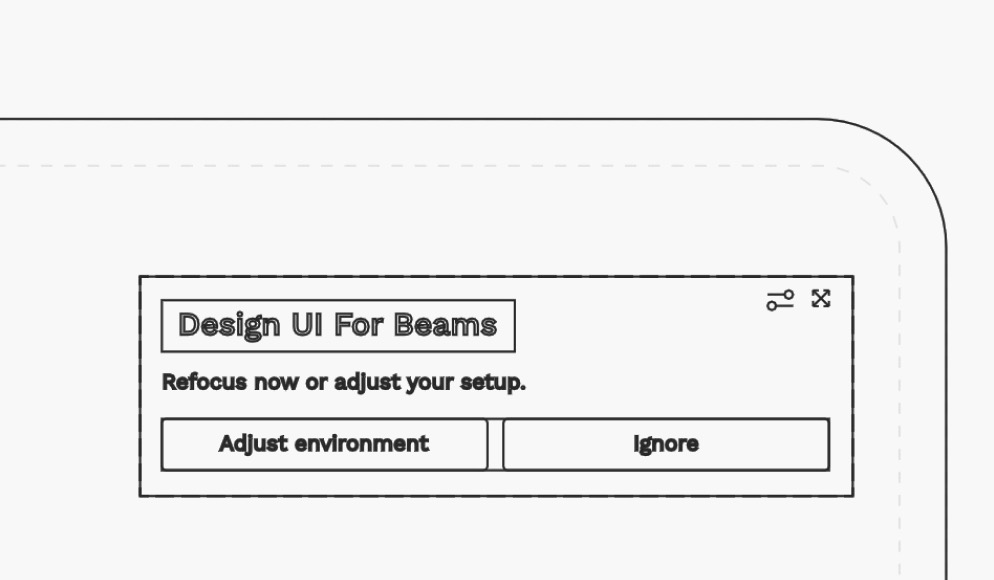
Focus-Drift Prompts
Beams recognises when your attention drifts from your intended task and nudges you back on track.
Accountability
Focus-Drift Prompts
Beams recognises when your attention drifts from your intended task and nudges you back on track.
Accountability
Focus-Drift Prompts
Beams recognises when your attention drifts from your intended task and nudges you back on track.
Accountability
Handoff
I handed off the system blueprint, feasibility analysis, and validation roadmap - equipping the team with everything needed to move forward.
🧠 How attention drift is detected
When a user starts a focus session, they select a work profile that defines expected behaviour. If activity consistently falls outside the expected pattern, it flags this as attention drift and triggers a notification. Over time, the model adapts, learning what focused work looks like for each user and task type.
⚖️ Feasibility & Risks
Signal quality (low–moderate risk)
The system depends on reliably detecting attention drift from application and window focus patterns. Even when technically accurate, prompts that appear at the wrong moment may feel disruptive or punishing.
User acceptance / privacy (moderate risk)
Monitoring application and window focus may feel invasive to some users. Clear opt-in, transparency, and local processing would be essential.
🧭 Proposed next steps
Awareness Moments
Personal Accountability
Beams recognises when your attention drifts from your intended task and nudges you back on track
This would be a game-changer if it worked correctly
I assumed this wasn’t possible!
It might be a fine line between helpful and annoying...
Awareness Moments
Personal Accountability
Beams recognises when your attention drifts from your intended task and nudges you back on track
Awareness Moments
Personal Accountability
Beams recognises when your attention drifts from your intended task and nudges you back on track
QUOTES
This would be a game-changer if it worked correctly
It might be a fine line between very helpful and annoying
PROCESS 1/3
My Process
Reframing the problem
Beams' goal was to help users focus and reduce context switching. But despite positive feedback during the closed beta, its core feature — Focus Mode — saw less than 10% repeat usage.
To the team, this looked like a usability issue. I suspected it was more fundamental. The product treated focus as something that could be set once upfront and maintained by controlling the environment - without accounting for how attention can drift during work. Rather than refining this approach, I proposed exploring alternative paths forward.

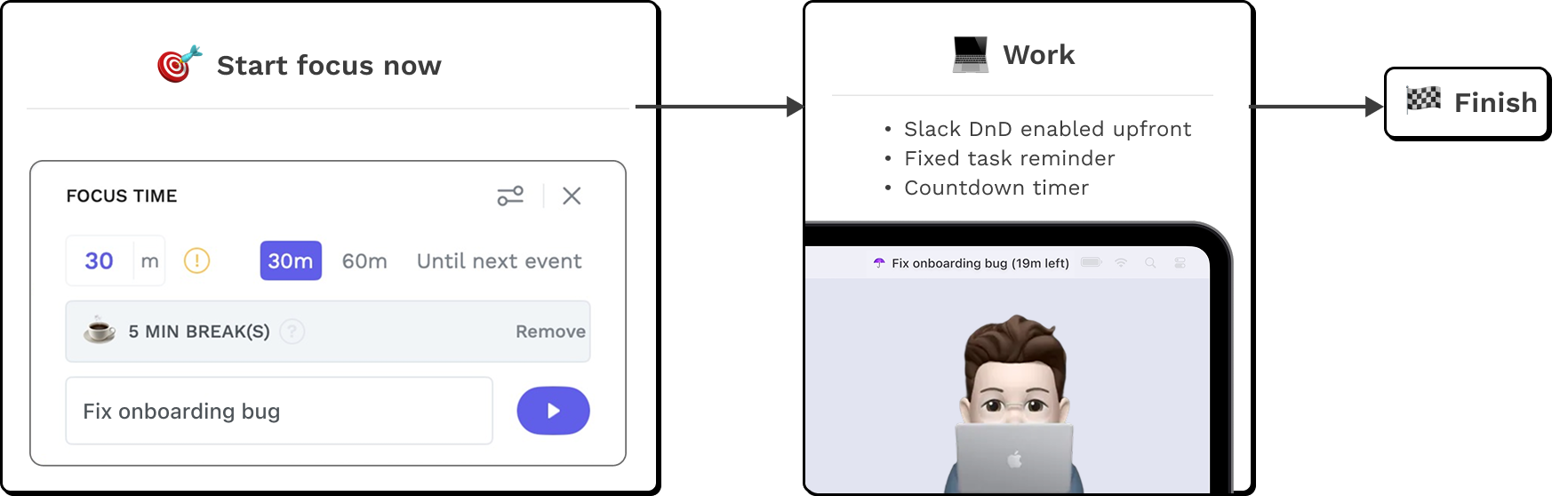
Focus Mode's design suggested a narrow framing of the problem - treating distraciton as something external, to be managed by controlling the environment.
On the surface, focus mode covered the problem space. In practice it relied on a flawed assumption.

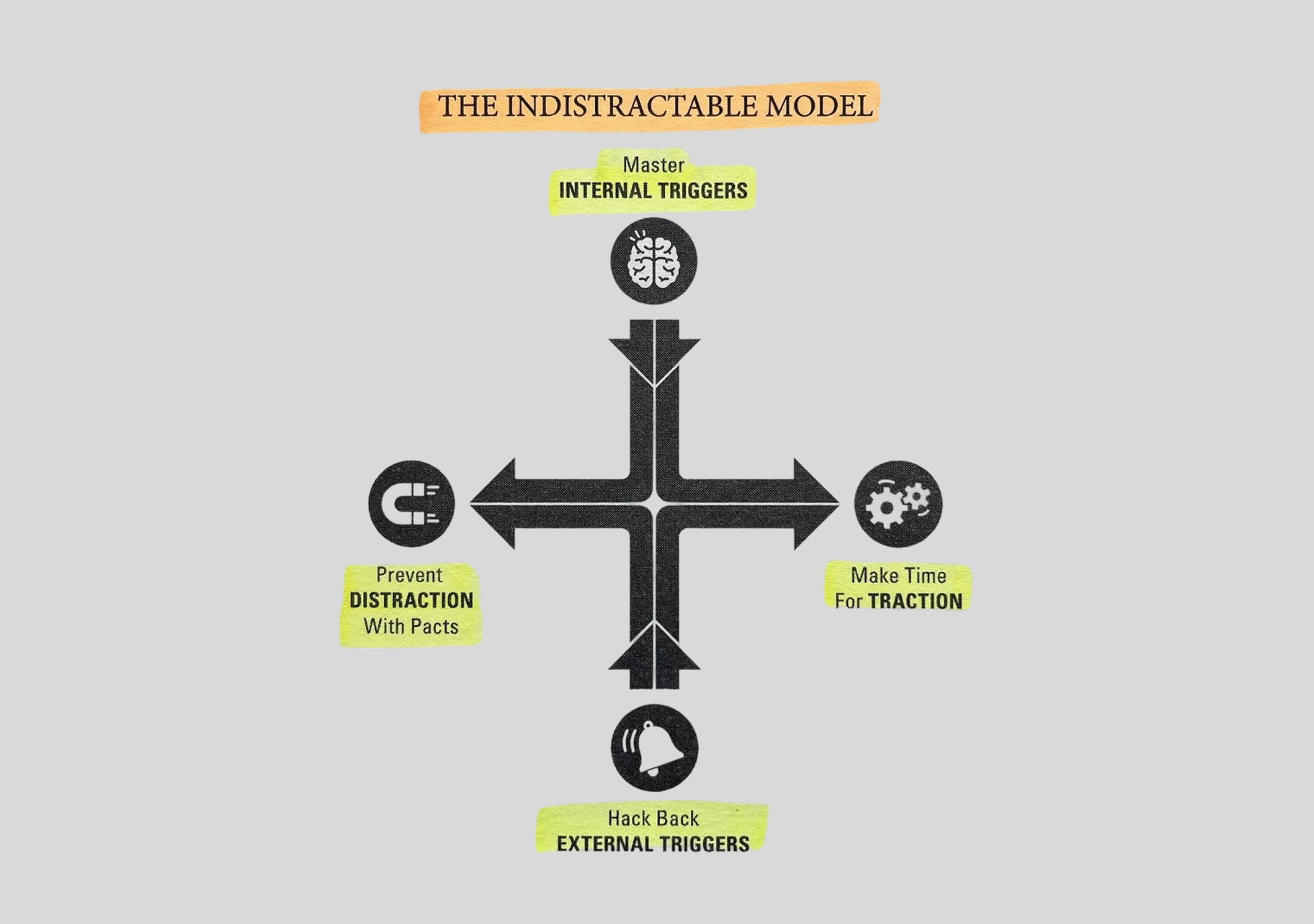
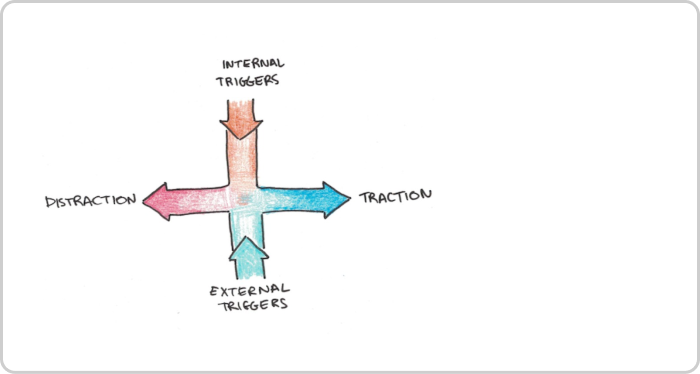
To better understand focus and distraction, I turned to behavioural frameworks. In Indistractable, Nir Eyal writes:
"While we love to blame external triggers...most of our distractions begin from within"
This reinforced my suspicion that we were conceiving the problem too narrowly and provided inspiration for concept testing.
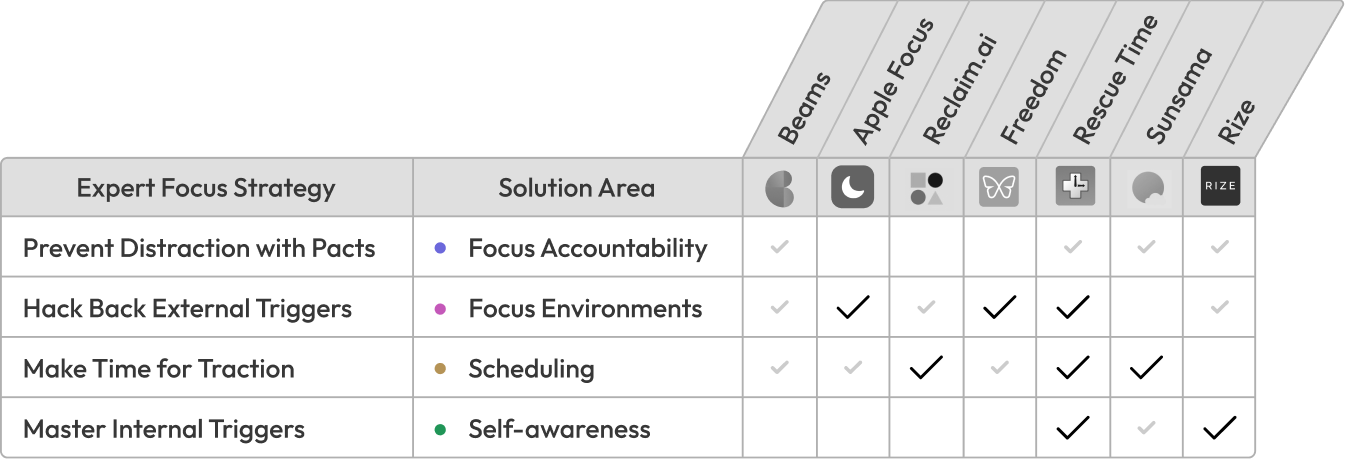
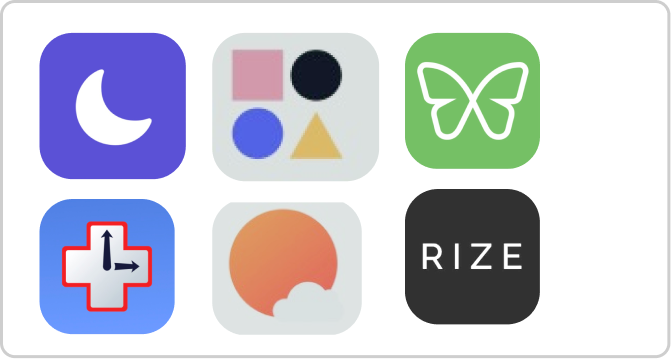
This misalignment wasn't just theoretical, it was reflected in the tools available.
3 research artifacts available on desktop
Analysing the beta product
→

Behavioural framework
→
Competitor Landscape
→
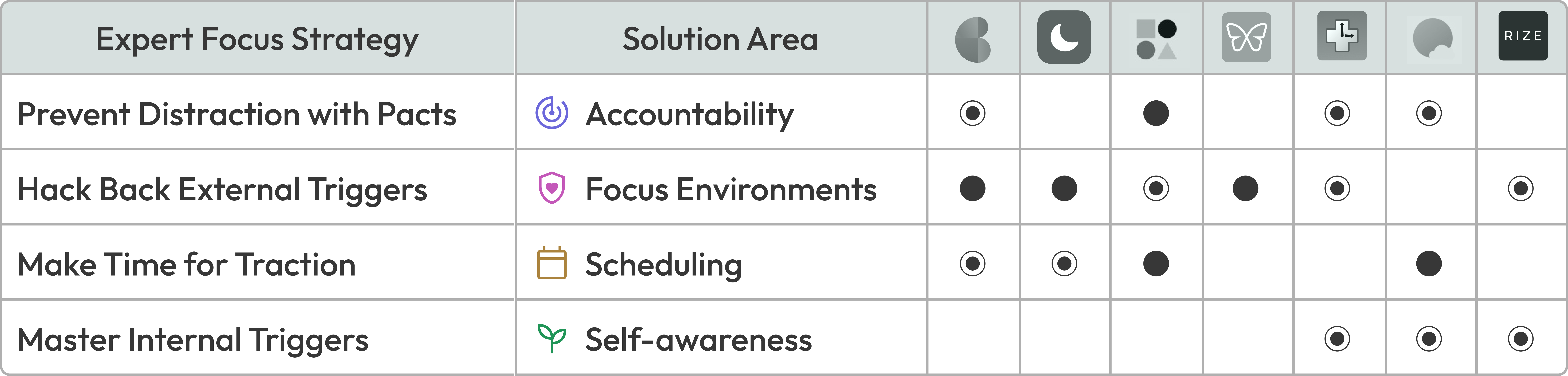
Benchmarking revealed which focus solution areas were saturated and which were underserved.
"
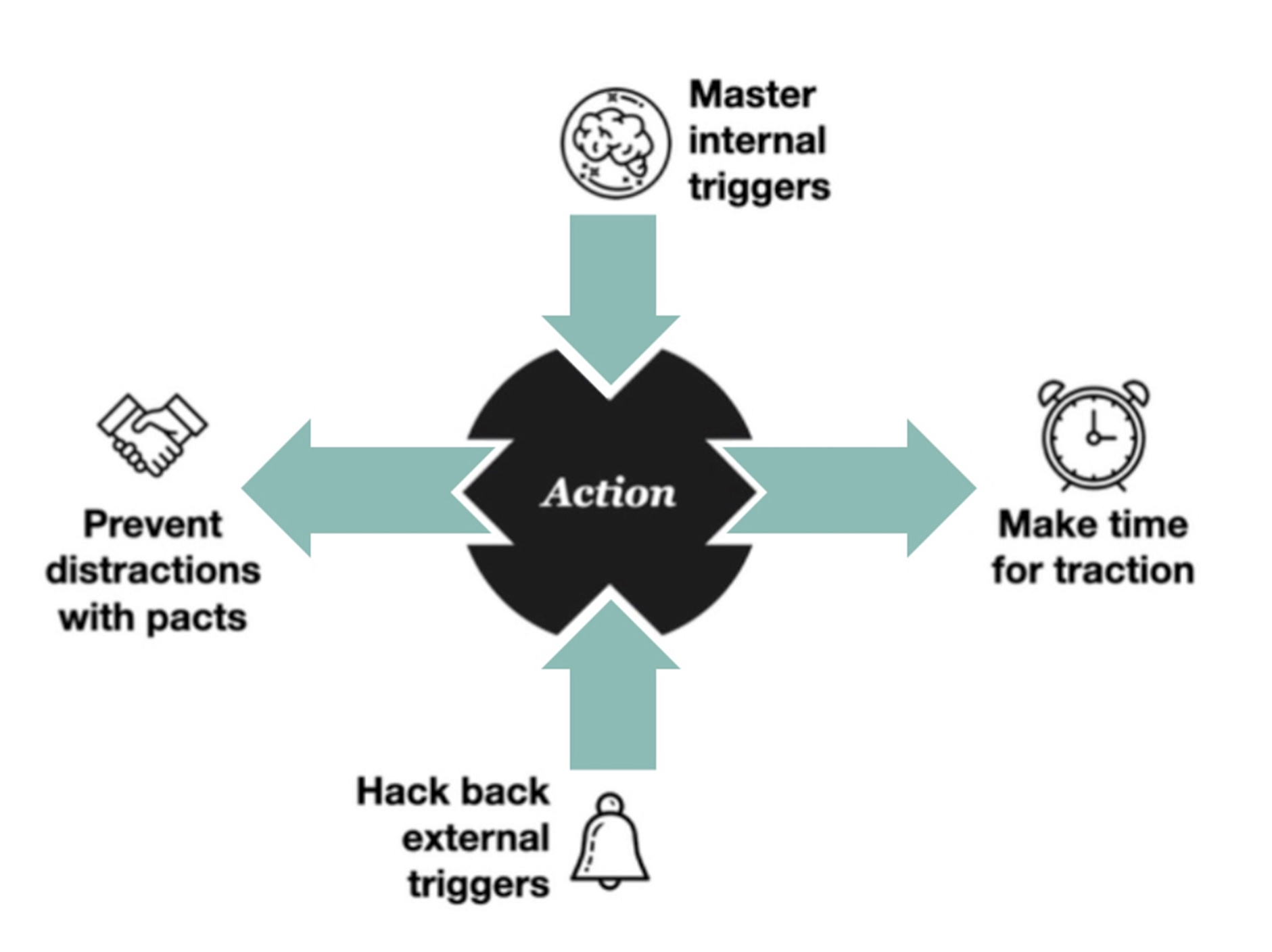
Most distraction doesn’t originate from outside of us... most distraction starts from within.
Established frameworks helped dmonstrate why we should broaden our understanding of the problem

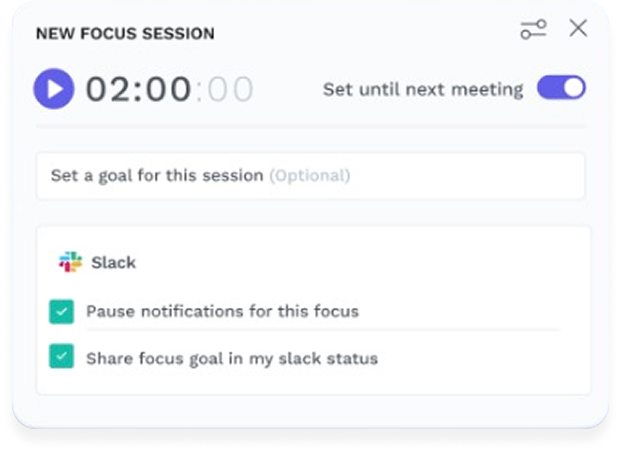
Focus Mode 1.0 attempted this by combining timers, intention setting and Do Not Disturb functionality.
Established frameworks helped demonstrate why we should broaden our framing of the problem

Benchmarking revealed which focus solution areas were saturated and which were underserved.


Hackathon brief
Use Hera's API and DeepMind to build a creative agent that:
Investigation included Product audit, behavioural research, competitor review
3 research artifacts available on desktop
Focus Mode's design suggested a narrow framing of the problem - treating distraciton as something external, to be managed by controlling the environment.
To better understand focus and distraction, I turned to behavioural frameworks. In Indistractable, Nir Eyal writes:
While we love to blame external triggers...most of our distractions begin from within
This reinforced my suspicion that we were conceiving the problem too narrowly and provided inspiration for concept testing.
This misalignment wasn't just theoretical, it was reflected in the tools available.